

 Twitter
 Facebook
 Google+
 Pinterest
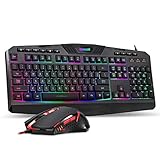
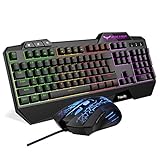
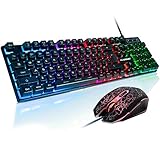
Delta essentials Keyboard and Mouse Adapter for PS4 Xbox One Nintendo Switch
$26.99
Old price : $26.99
Free One Limited Part#: 767311408122 - Delta essentials Keyboard and Mouse Adapter for PS4 Xbox One Nintendo Switch
PS4 Set Up GuideStep 1: Power off your Sony DualShock 4 Wireless Controller then connect it to the Adapter with a Charge & Sync cable.
Step 2: Plug in your Keyboard&Mouse to the Adapter.
Step 3: Plug in the Adapter to your PS4 console. The console will think a controller connected after a few seconds. Now
you can use the keyboard&mouse instead of game controller.
* If the keyboard&mouse do not work after you plug in everything. Please re-plug the keyboard, mouse, adapter and controller.
* The controller must be Sony Official DualShock 4 Wireless Controller and in power off status before connecting.
* The cable that connect the controller to Adapter must be charge&sync cable.
Xbox One Set Up Guide
Step 1: Power off your Xbox One Standard Wireless Controller then connect it to the Adapter with a Charge & Sync cable.
Step 2: Plug in the your keyboard&mouse to the adapter.
Step 3: Plug in the Adapter to your Xbox One console. The console will think a controller connected after a few seconds.
Now you can use the keyboard&mouse instead of game controller.
* If the keyboard&mouse do not work after you plug in everything. Please re-plug the keyboard, mouse, adapter and controller.
* The controller must be Microsoft Official Xbox One Standard Controller and in power off status before connecting.
Xbox One Elite Controller and other controllers can't get the Adapter to work.
* The cable that connect the controller to Adapter must be charge&sync cable.
Switch Set Up Guide
Step 1: Turn on your Switch console. Go to "Settings" - "Controllers and Sensors" - "PRO Controller Wired Communication"
and click ON. Back to Home menu.
Step 2: Plug in your keyboard&mouse to the Adapter.
Step 3: Plug in the Adapter to your Switch console.
Step 4: Press Ctrl+2. The console will think a controller connected after a few seconds. Now you can use the keyboard&mouse
instead of game controller.
Features:
- The Adapter enables you playing almost all console games with Keyboard&Mouse instead of Game Controller on PS4, Xbox One. Especially perfect for FPS games like Forttnite, PUBG, APEX Legends, Rage 2, DOOM, COD, Rainbow Six Siege, CS etc...
- You can set the key maps you want with our PC Keymap Software. Please download on www.leunaproduct.com/download
- Important NOTE to PS4 users: You need to use Sony DualShock Wireless Controller to activate the Keyboard&Mouse. If you use controllers from other brands. This Adapter will not work.
- Important NOTE to Xbox One users: You need to use Microsoft Xbox One Standard Wireless Controller to activate the Keyboard&Mouse. If you use a Xbox One Elite controller or Controllers from other brands. This Adapter will not work.
- There are some mouse and keyboard are not compatible.If you find your Keyboard&Mouse not work with the Adapter. Please tell us the model then we will provide your an upgrade pack to make it work. CS address: info@leunaproduct.com
UPCs:
- 767311408122
EAN:
- 0767311408122
- Manufacturer: Free One Limited
- Label: FREE ONE Limited
- Color: Black